Create Manage Type

Loadops

  1. 1. Go to Loadops by Optym

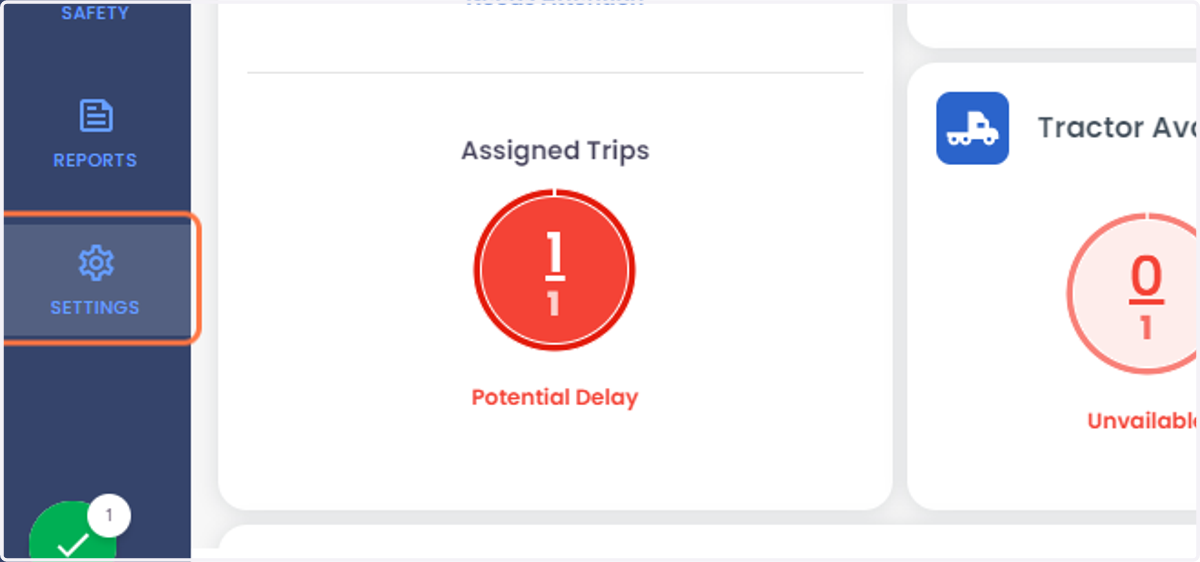
  2. 2. Click on SETTINGS

    Click on SETTINGS
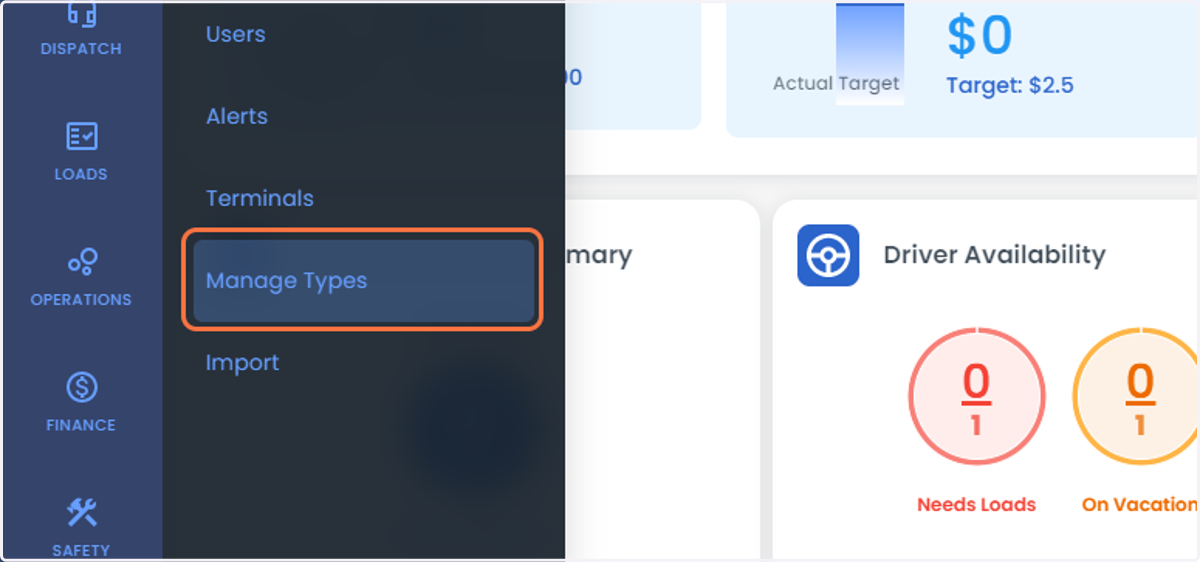
  3. 3. Click on Manage Types

    Click on Manage Types
  4. 4. The highlighted bar shows the list of section to create the Custom line-item Commodity Document Expense category Financial pay items Maintenance
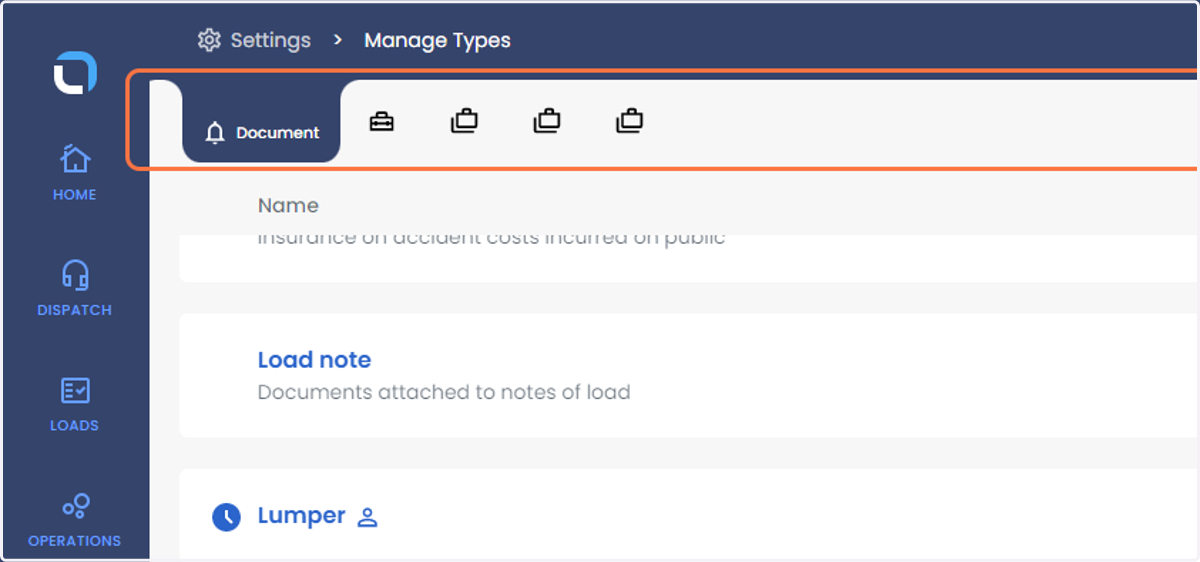
    The highlighted bar shows the list of section to create the Custom line-item Commodity Document Expense category Financial pay items Maintenance
  5. 5. click on "Add Manage Type" to create a new Document Type
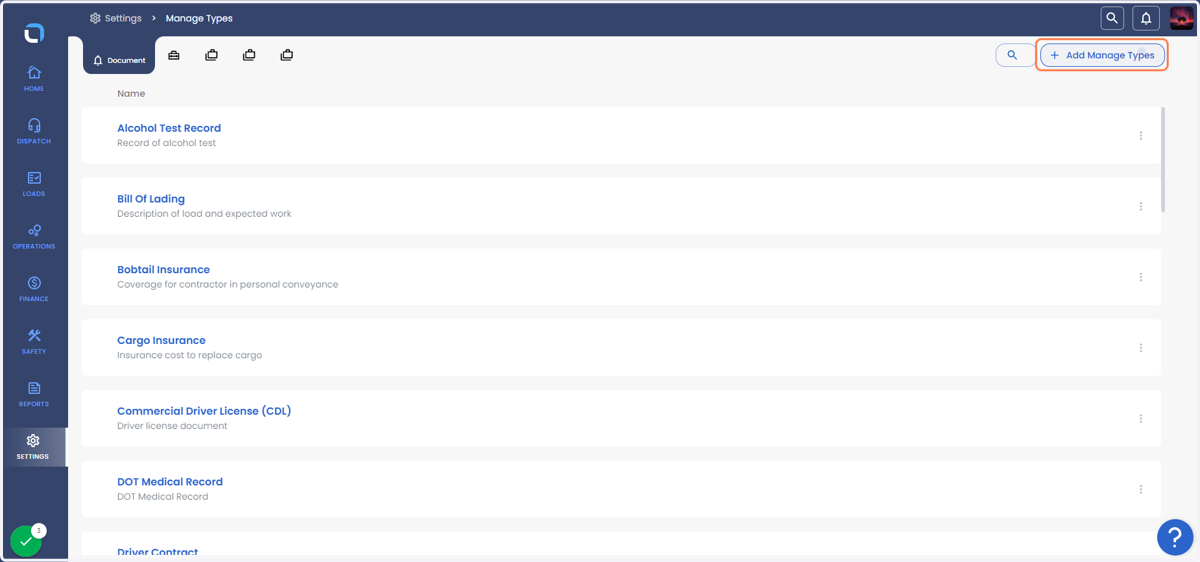
    click on "Add Manage Type" to create a new Document Type
  6. 6. Type Document type which you would like to create (below Image shows lumper as an example)
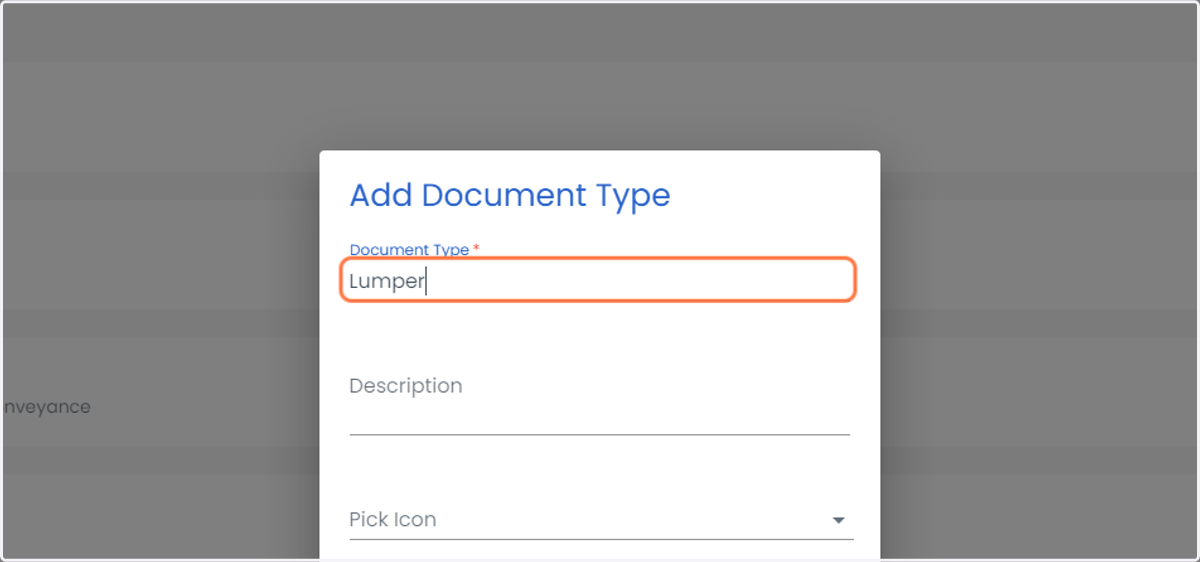
    Type Document type which you would like to create (below Image shows lumper as an example)
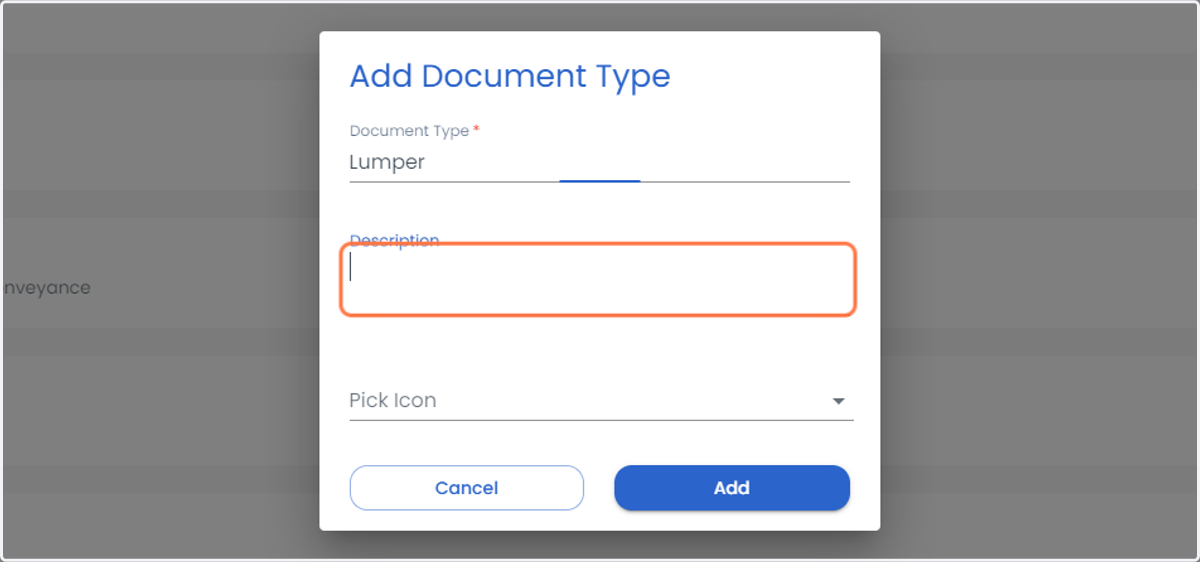
  7. 7. Type the Description

    Type the Description
  8. 8. Pick up an icon from the drop down
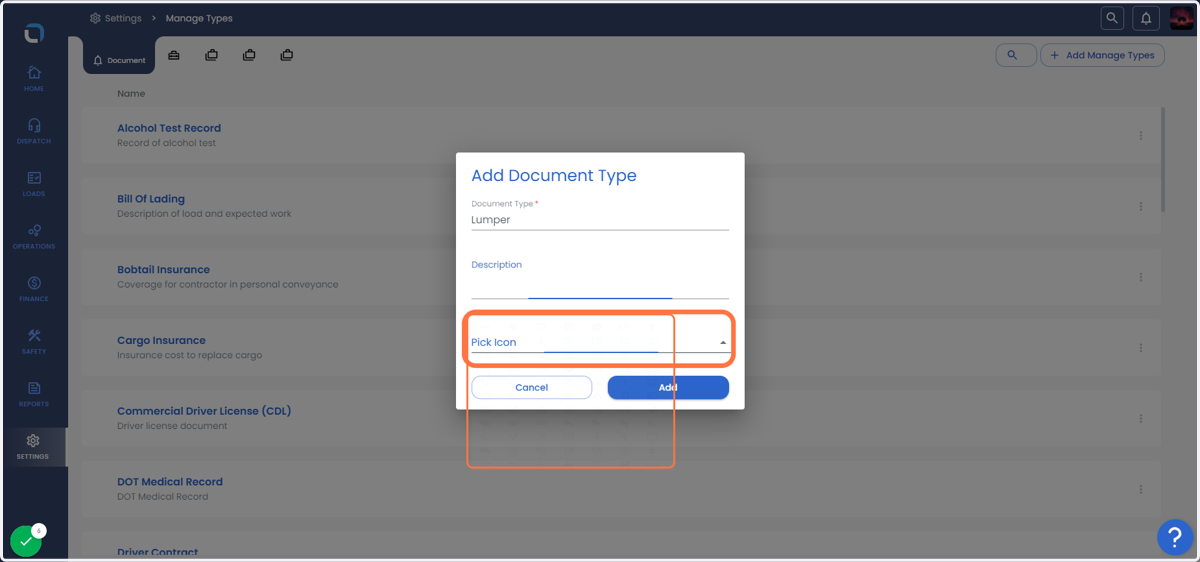
    Pick up an icon from the drop down
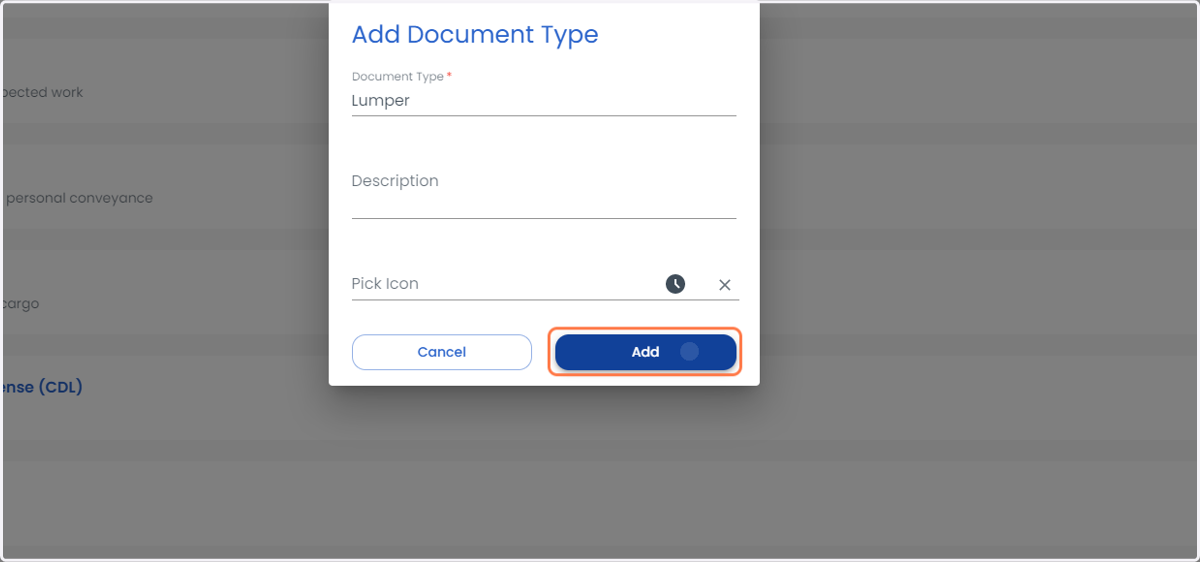
  9. 9. Click on Add

    Click on Add
  10. 10. The profile icon next to the lumper items indicates it's a custom line item that can also be deleted.
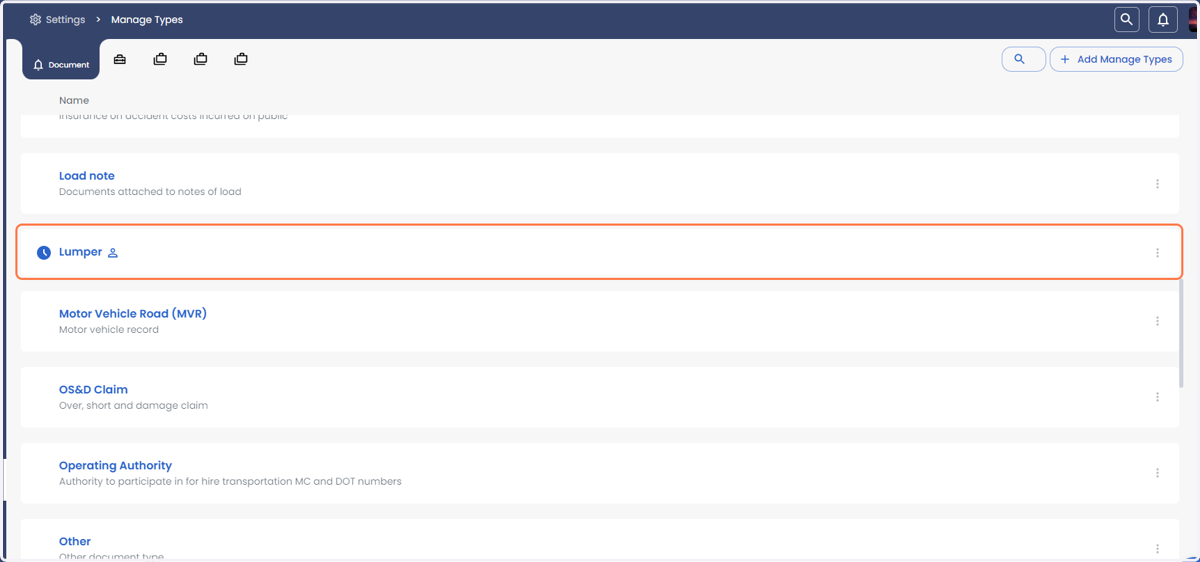
    The profile icon next to the lumper items indicates it's a custom line item that can also be deleted.
  11. 11. Click on three vertical Dotten line to edit or delete as shown in the last step
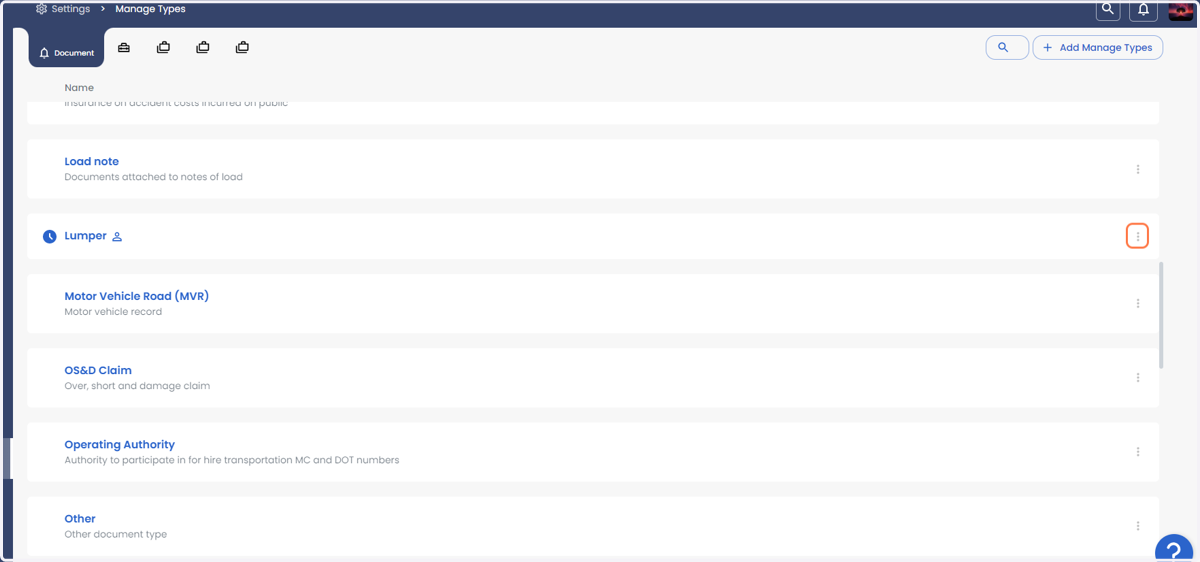
    Click on three vertical Dotten line to edit or delete as shown in the last step
  12. 12. You can edit the line item or delete the line item
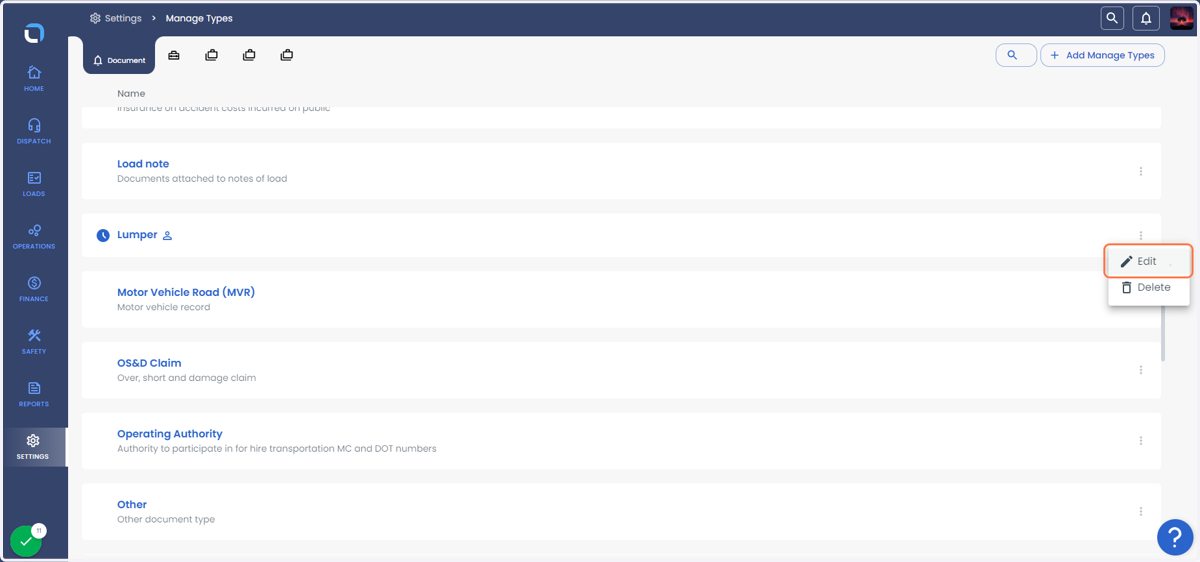
    You can edit the line item or delete the line item