Students: Sign in to Canvas from a Home Device
1. Start by logging in to your Edmonds School District Google Account.
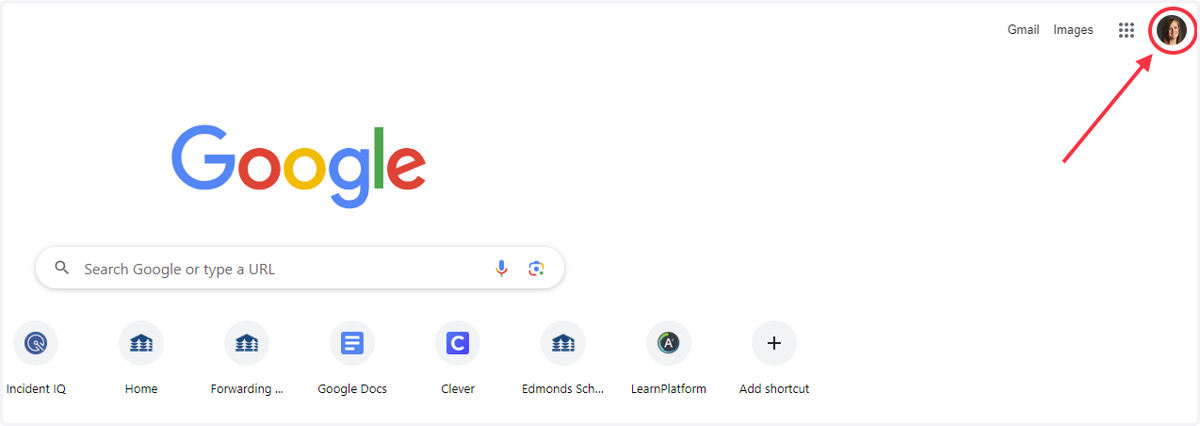
Go to google.com and click on the profile in the upper right corner.
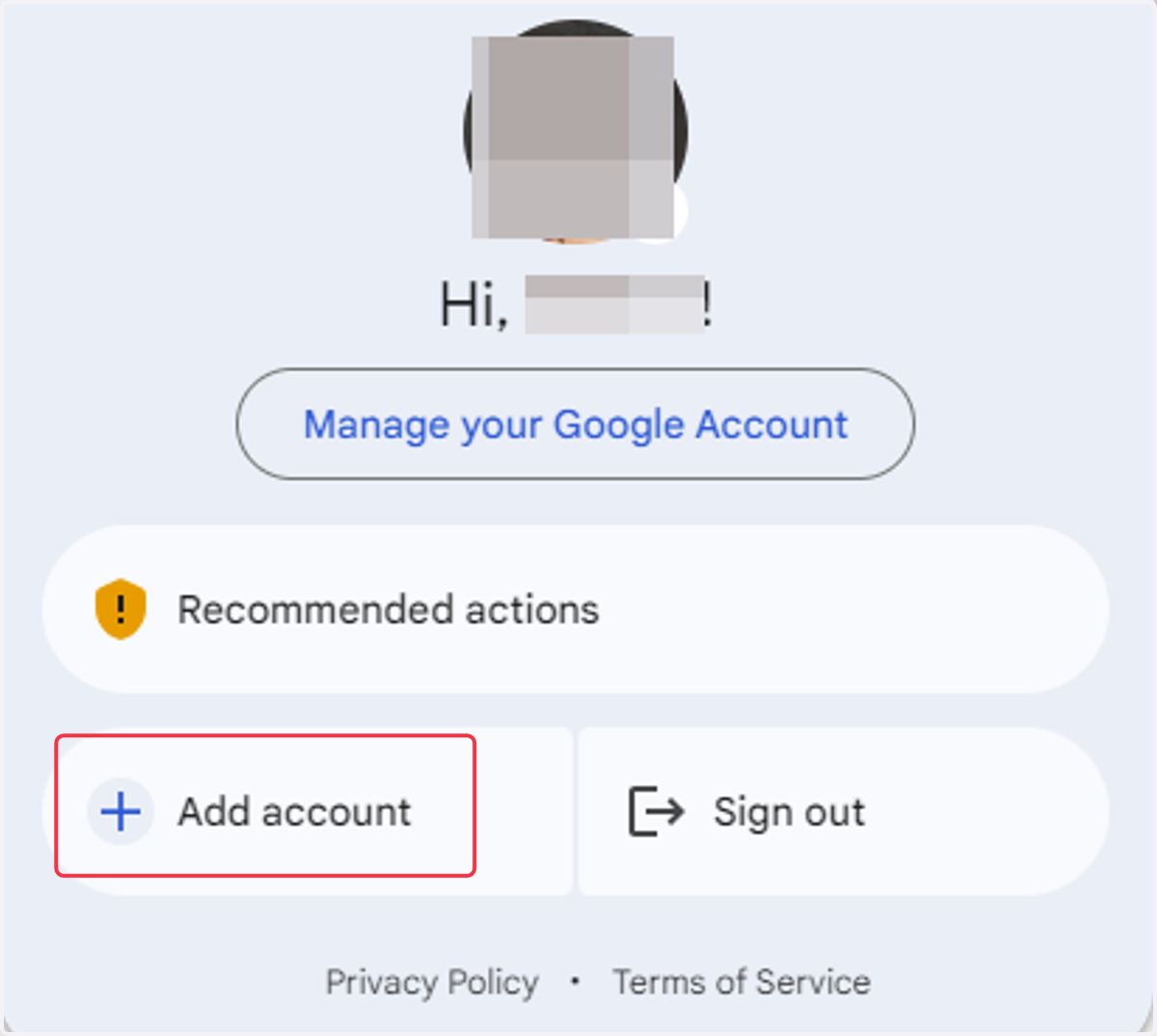
2. Select + Add account
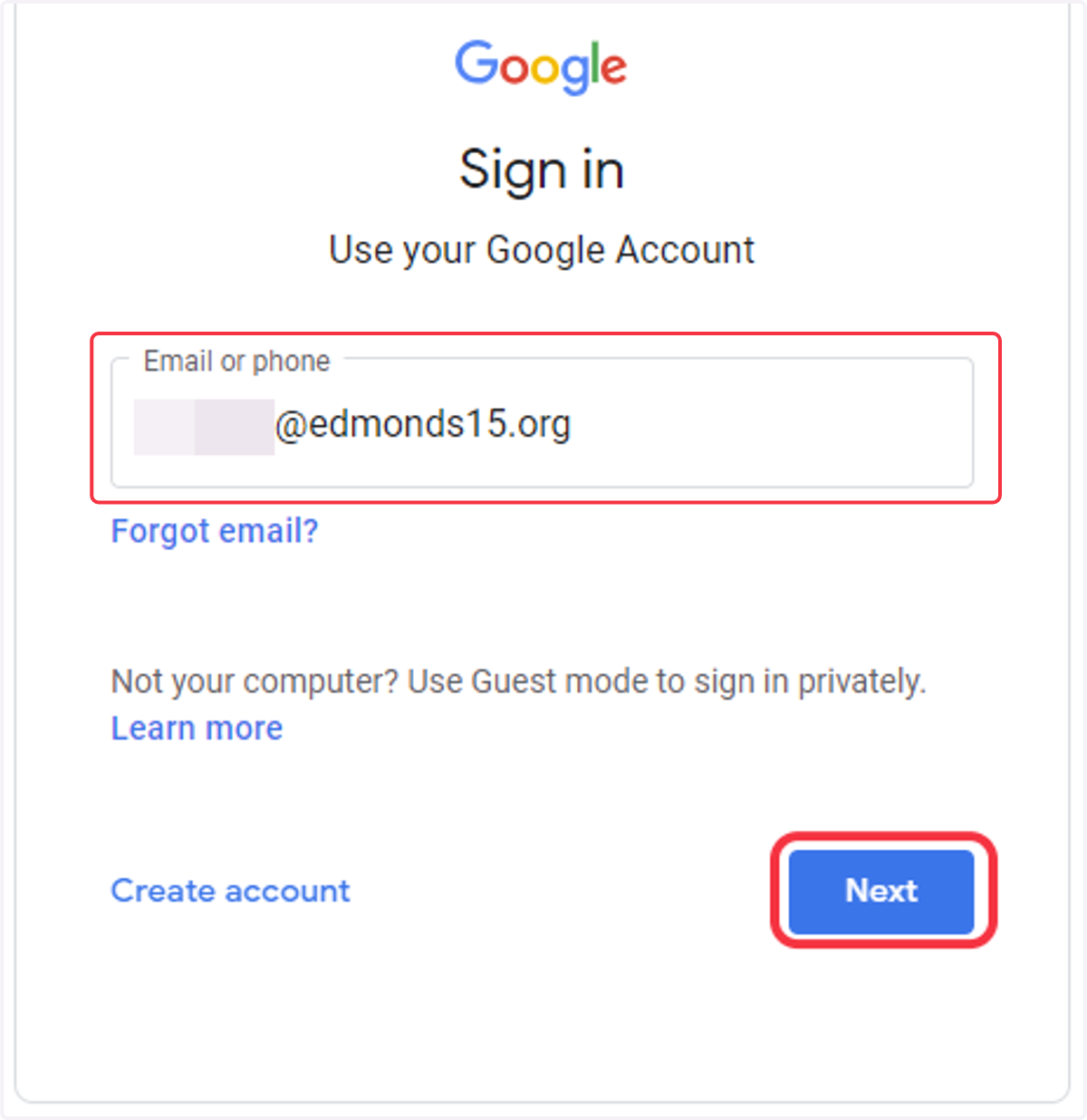
3. Enter your student email including "@edmonds15.org" and click Next.
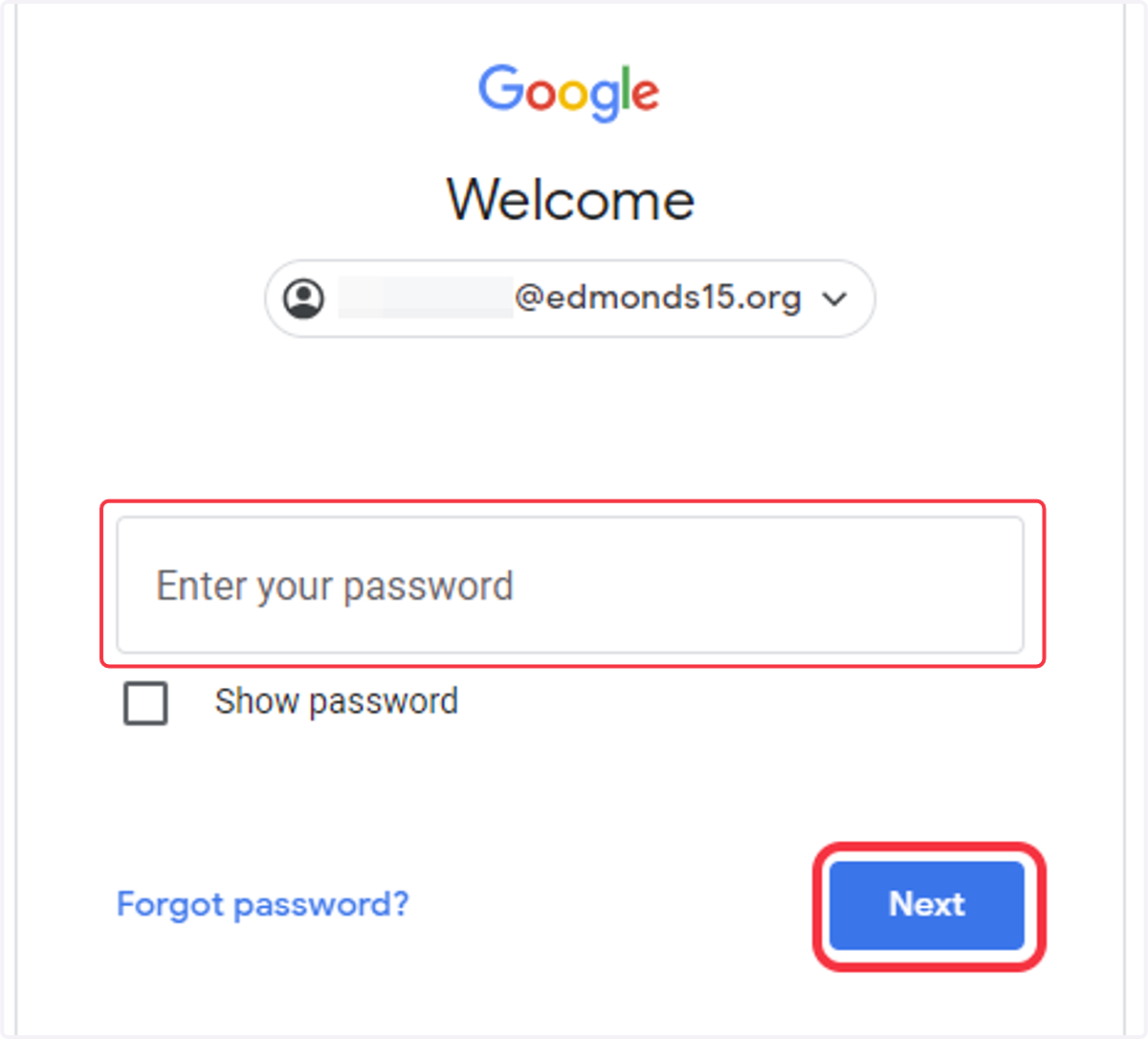
4. Enter your Edmonds School District password and click Next
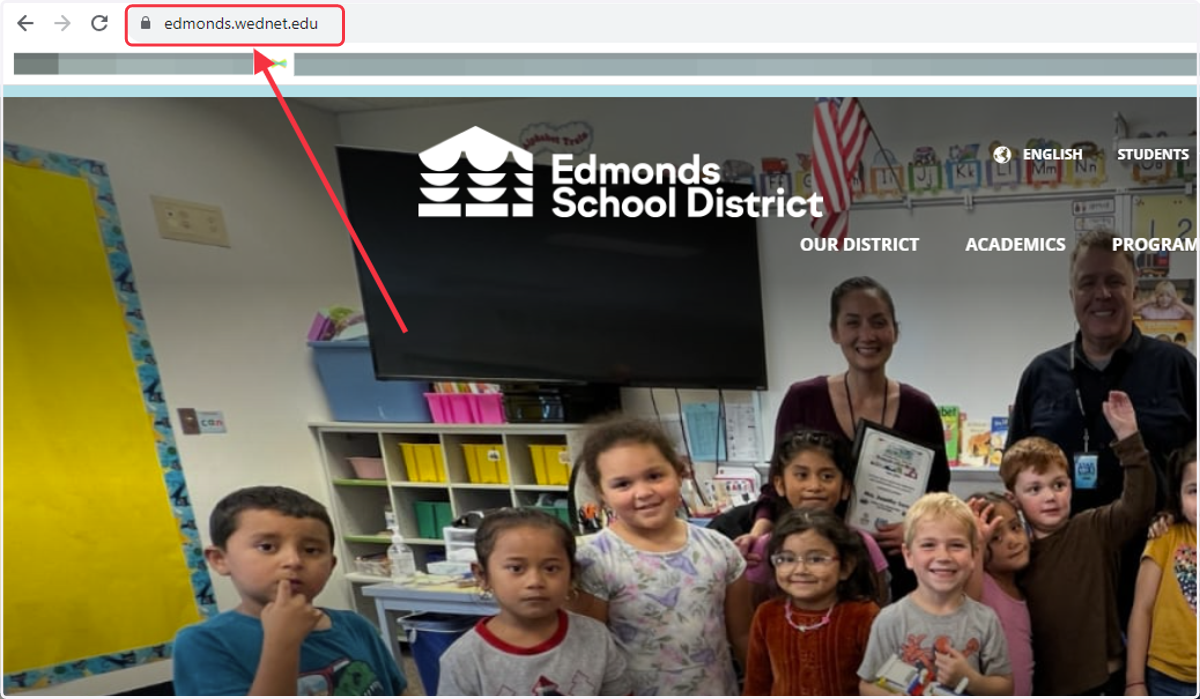
5. Once you are logged in with your Edmonds School District Google Account, go to https://www.edmonds.wednet.edu/
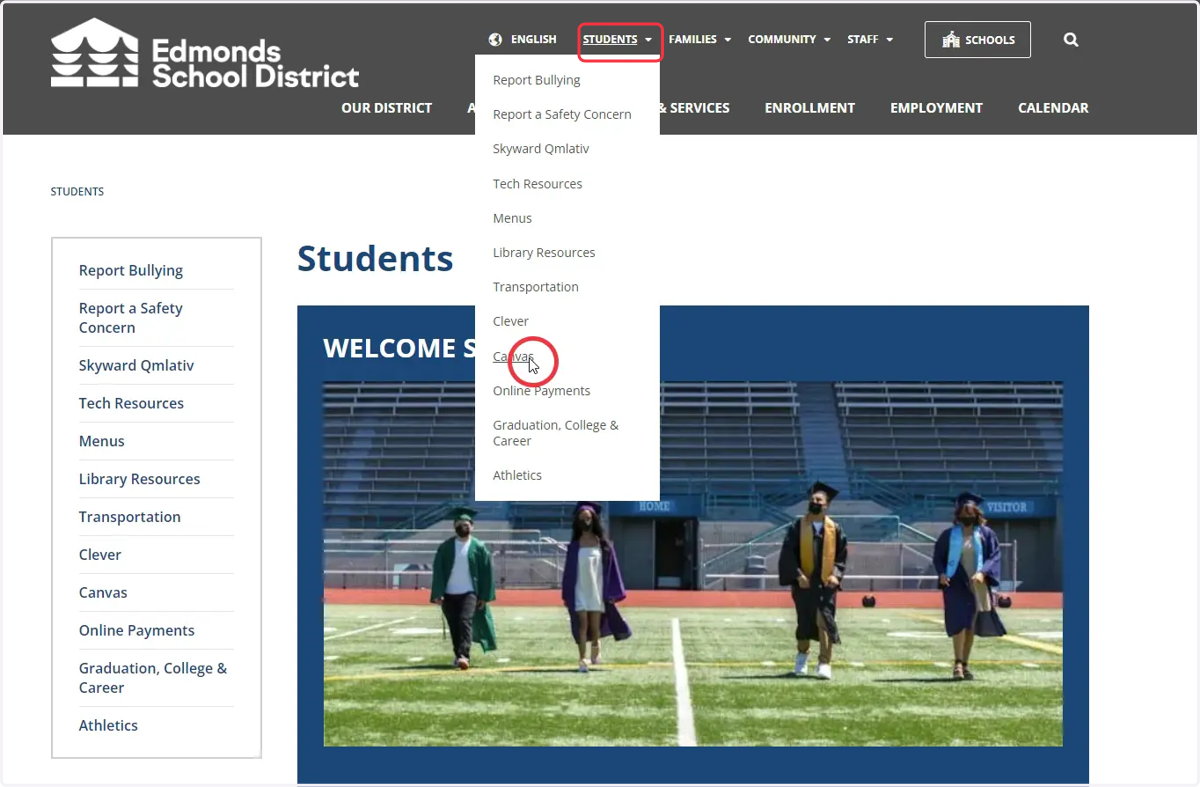
6. Hover over the STUDENTS dropdown menu and select Canvas
7. Select Canvas for Staff & Students Login Page
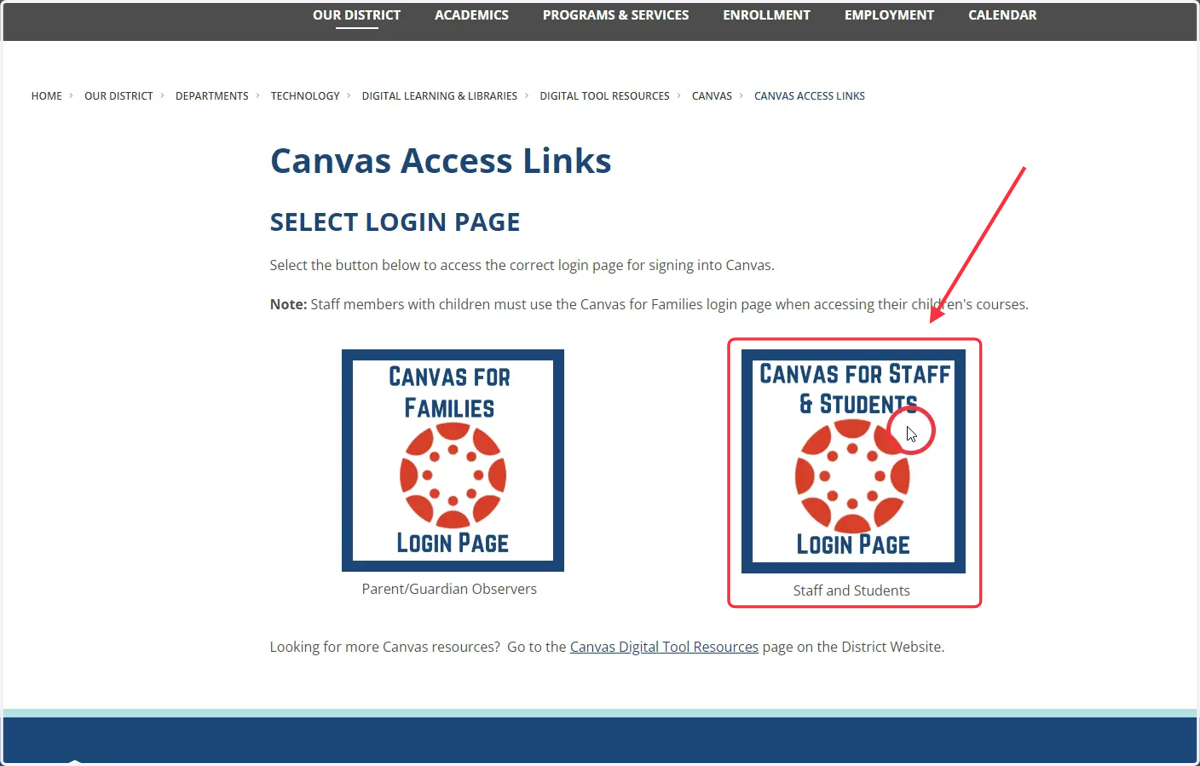
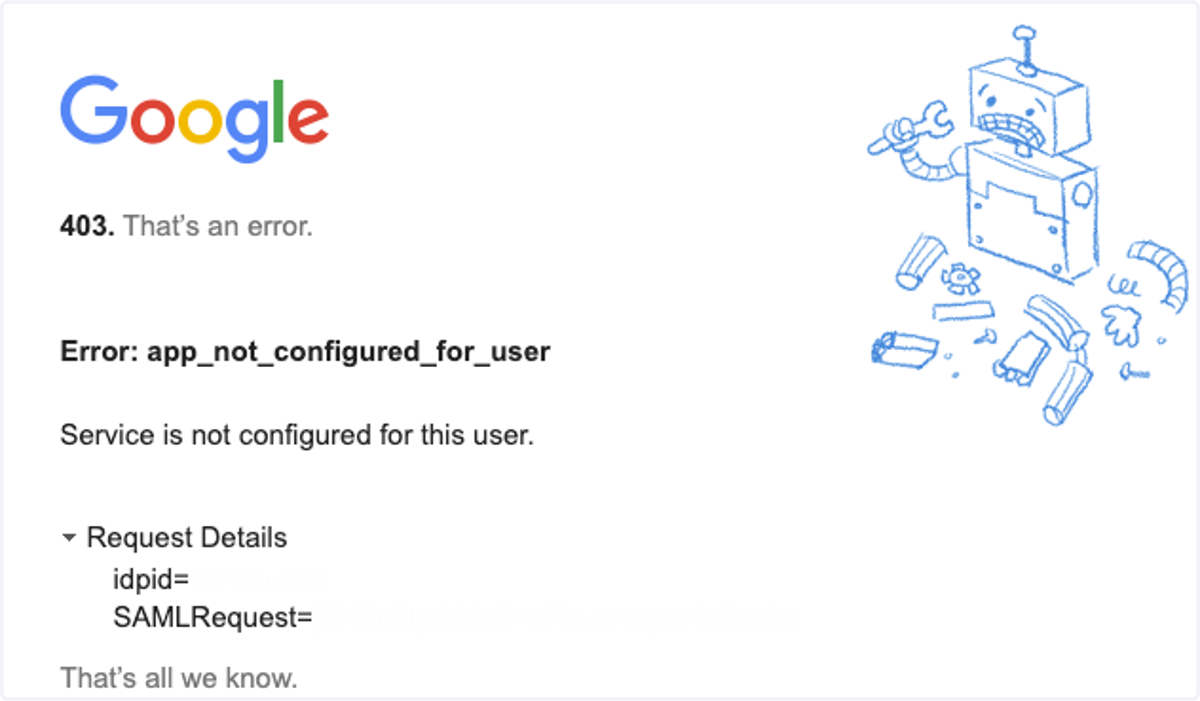
8. Note: If you receive a 403 error message, this means you are not signed into your Edmonds School District Google Account. Go back to step 1 and sign in to your Edmonds School District Google Account, then try again.