How to Enable "All Calls" Export in Gong Engage
This guide shows you how to change your CRM Export settings in Gong Engage so that all telephony calls are exported to CRM - not just calls made via Gong's dialer.
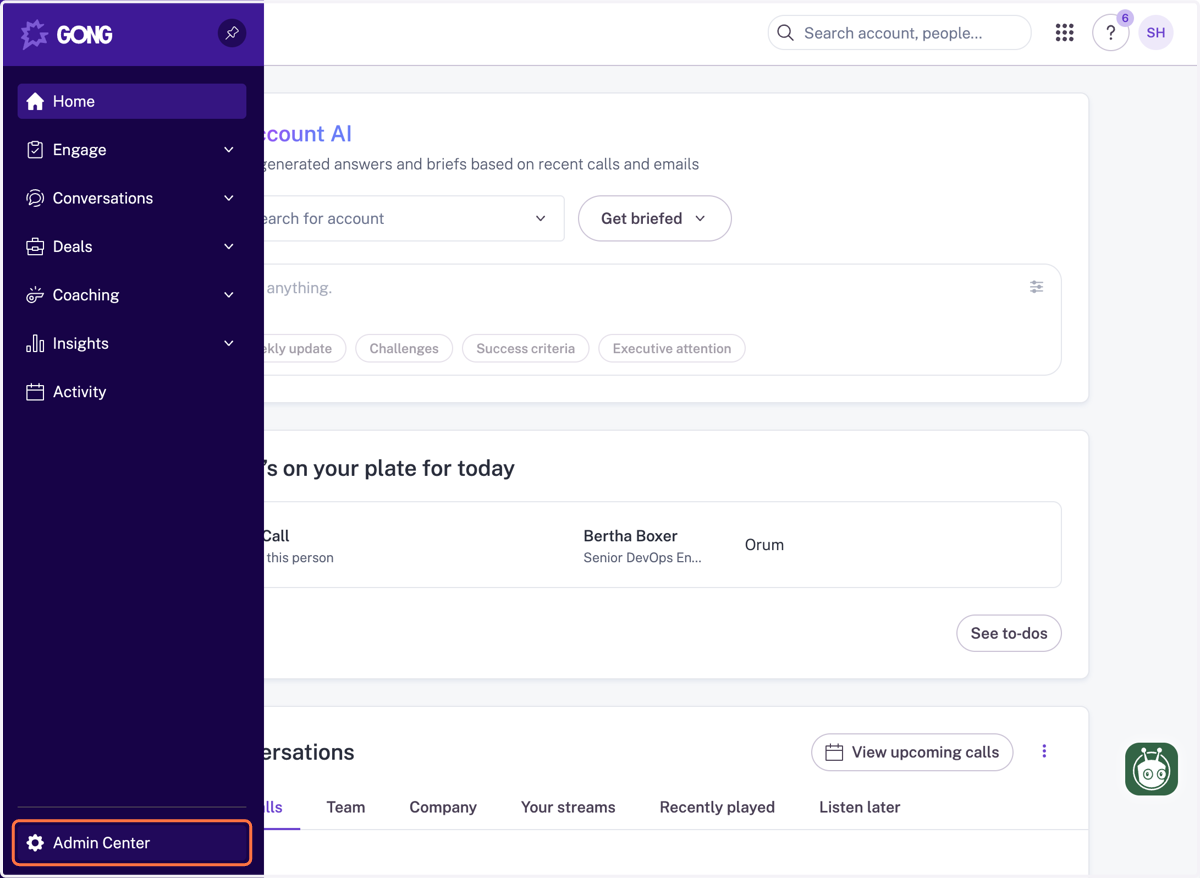
1. Navigate to the Admin Center.
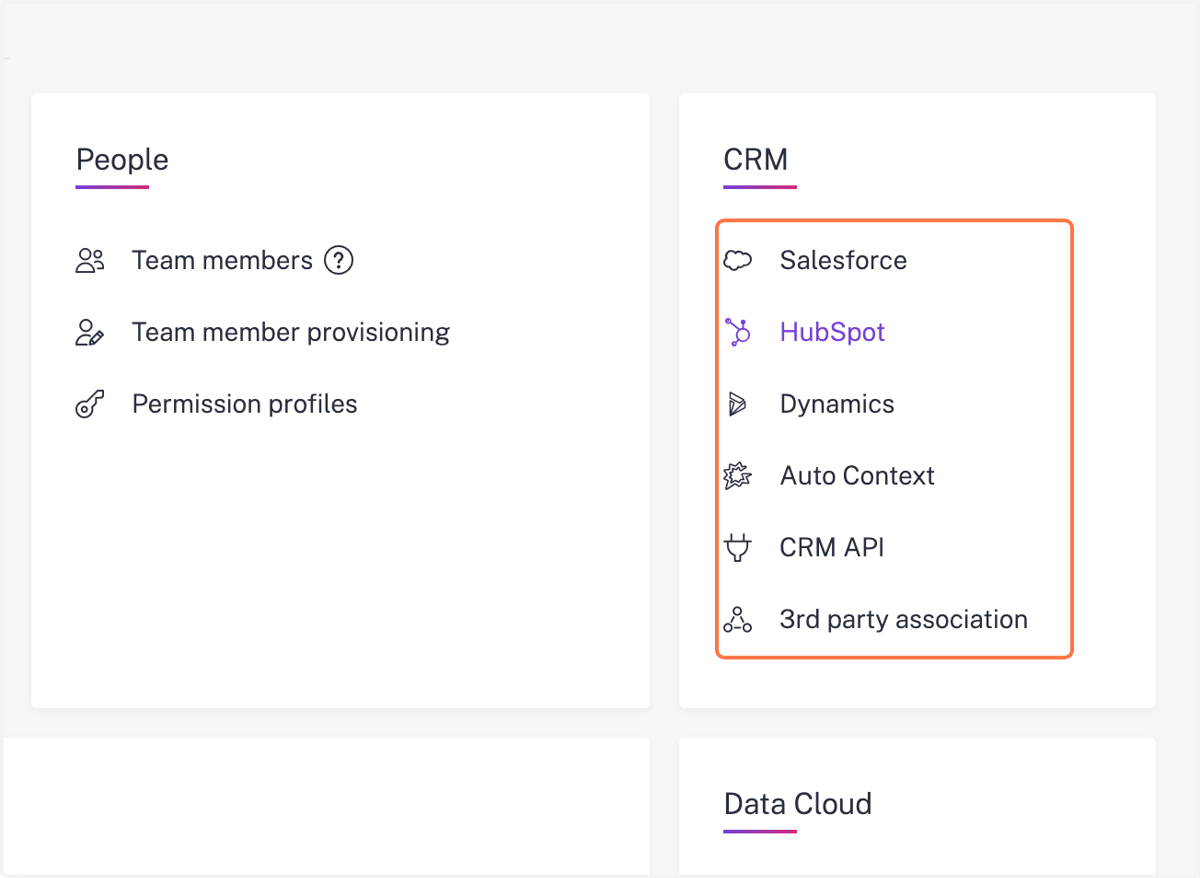
2. Select the CRM you are currently exporting data to.
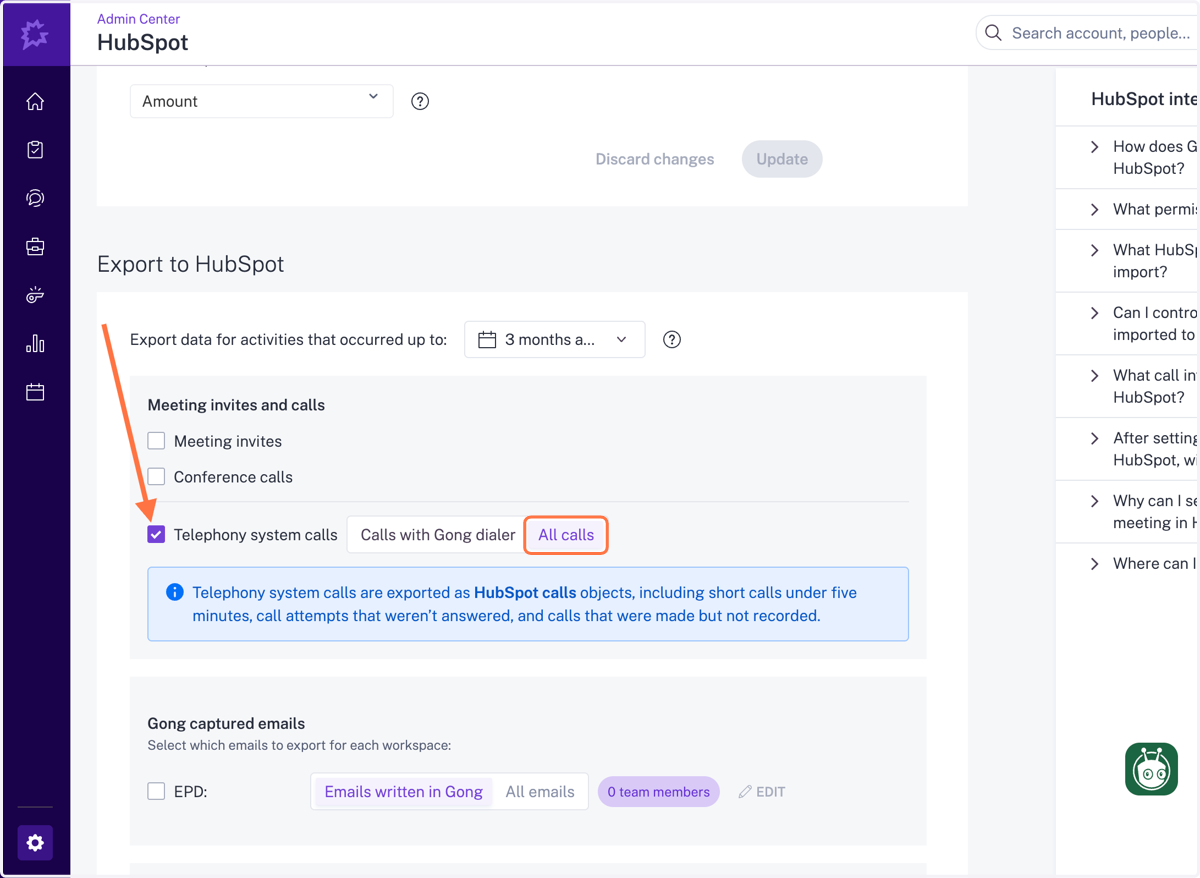
3. Scroll down to "Telephony system calls." Ensure the box is checked and "All calls" is selected.
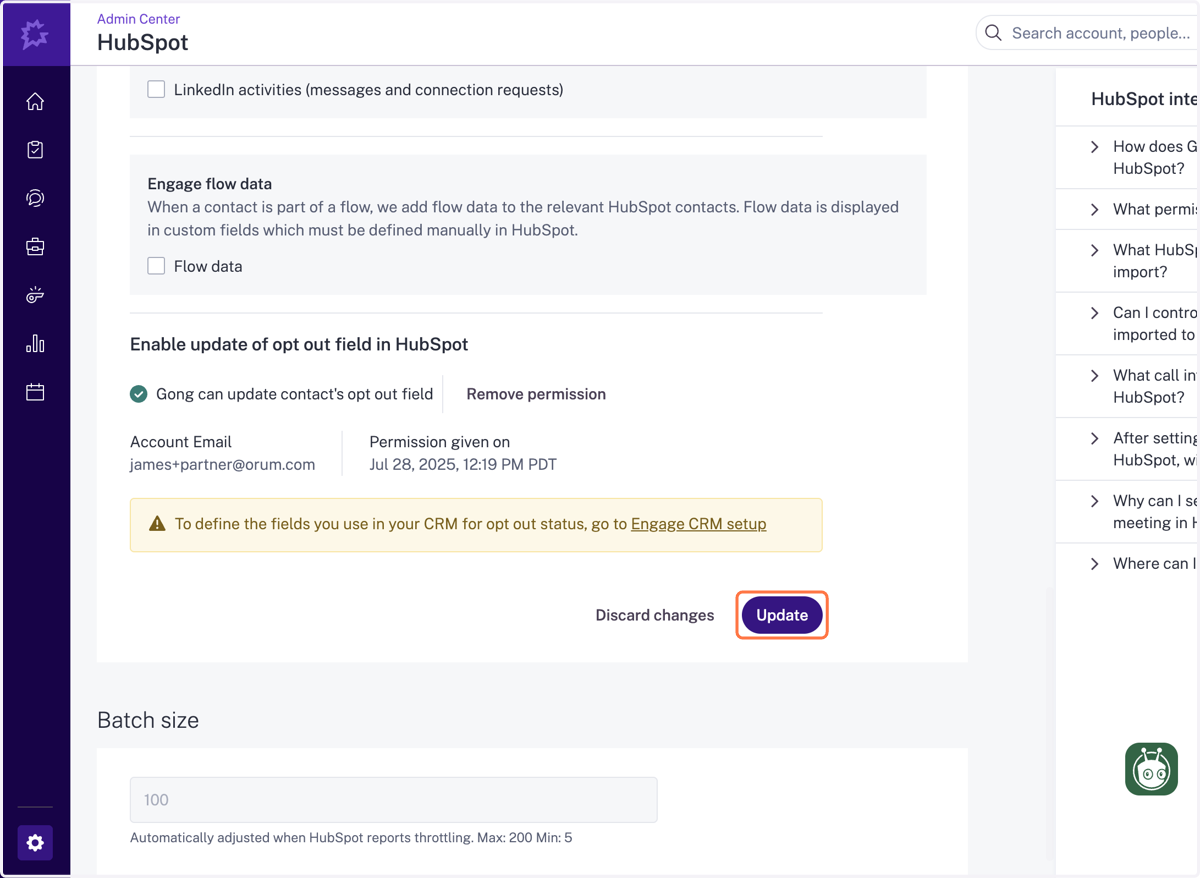
4. Scroll down and select Update to save your changes.