How to Join a Special Interest Group
The Academy of Pelvic Health Physical Therapy has several special interest groups (SIGs) and each has a designated section of Member Engage, the Academy's social community platform where members can connect with fellow SIG members. There is no additional fee to join a SIG - all you have to make sure is that your Academy membership is up-to-date.
APTA Academy of Pelvic Health Physical Therapy
1. Log In to Your Member Account
If you are not logged in yet, you will see a Login hyperlink.

2. Click on Member Compass.

3. You will arrive at "Member Compass"
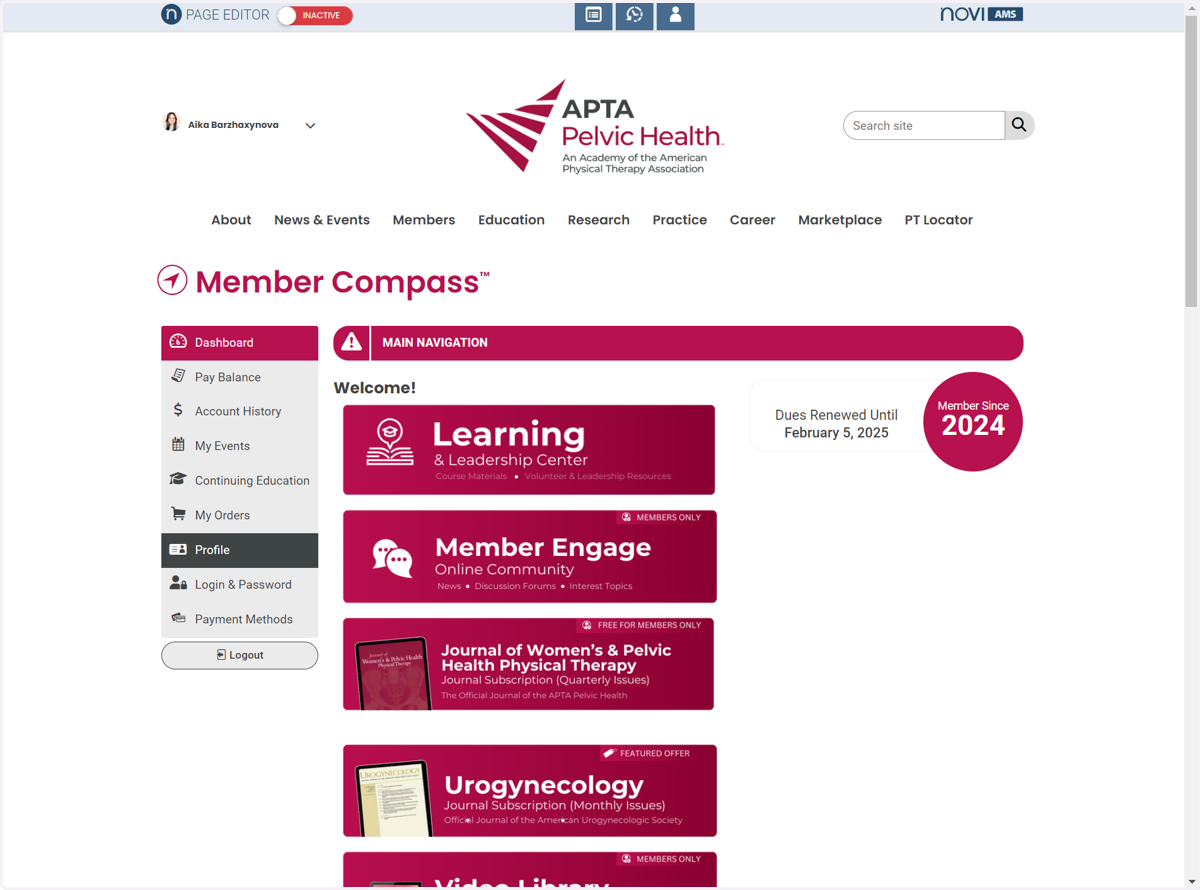
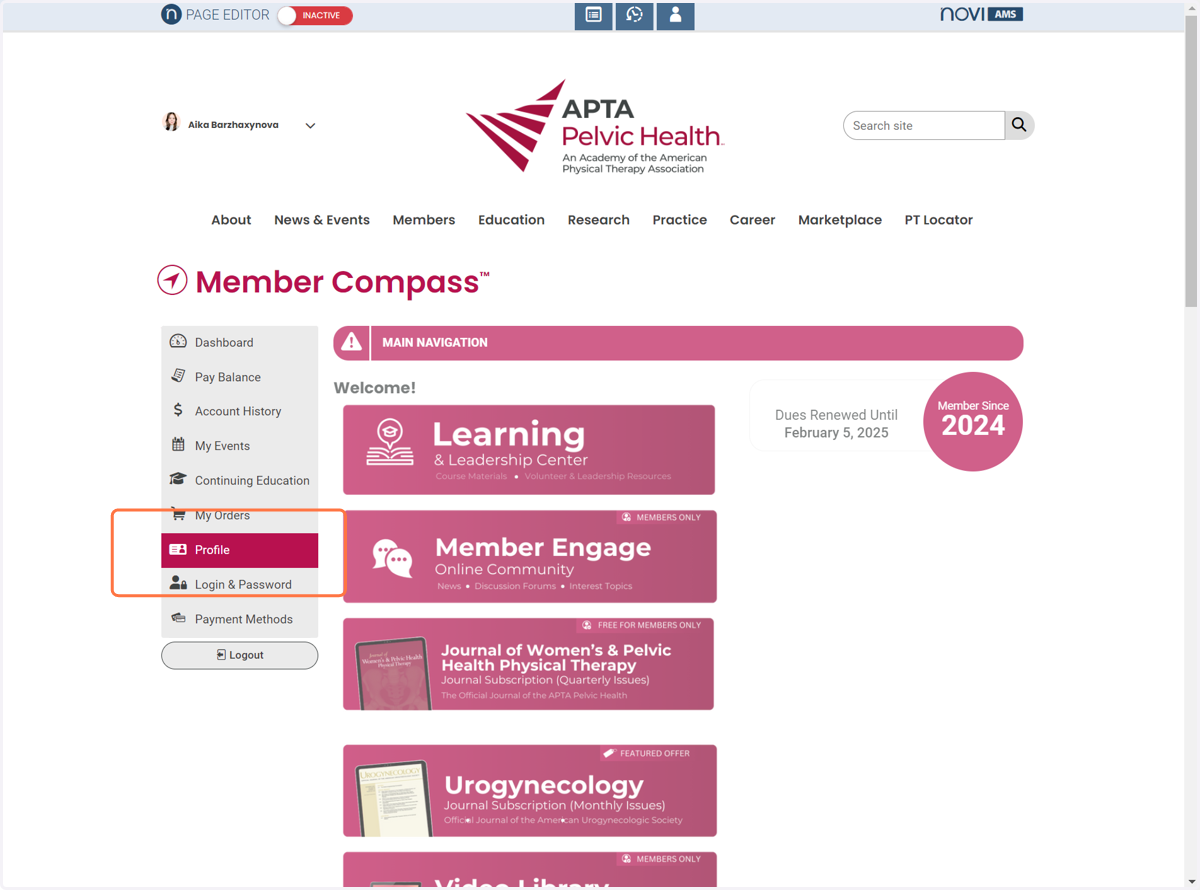
4. Click on "Profile"
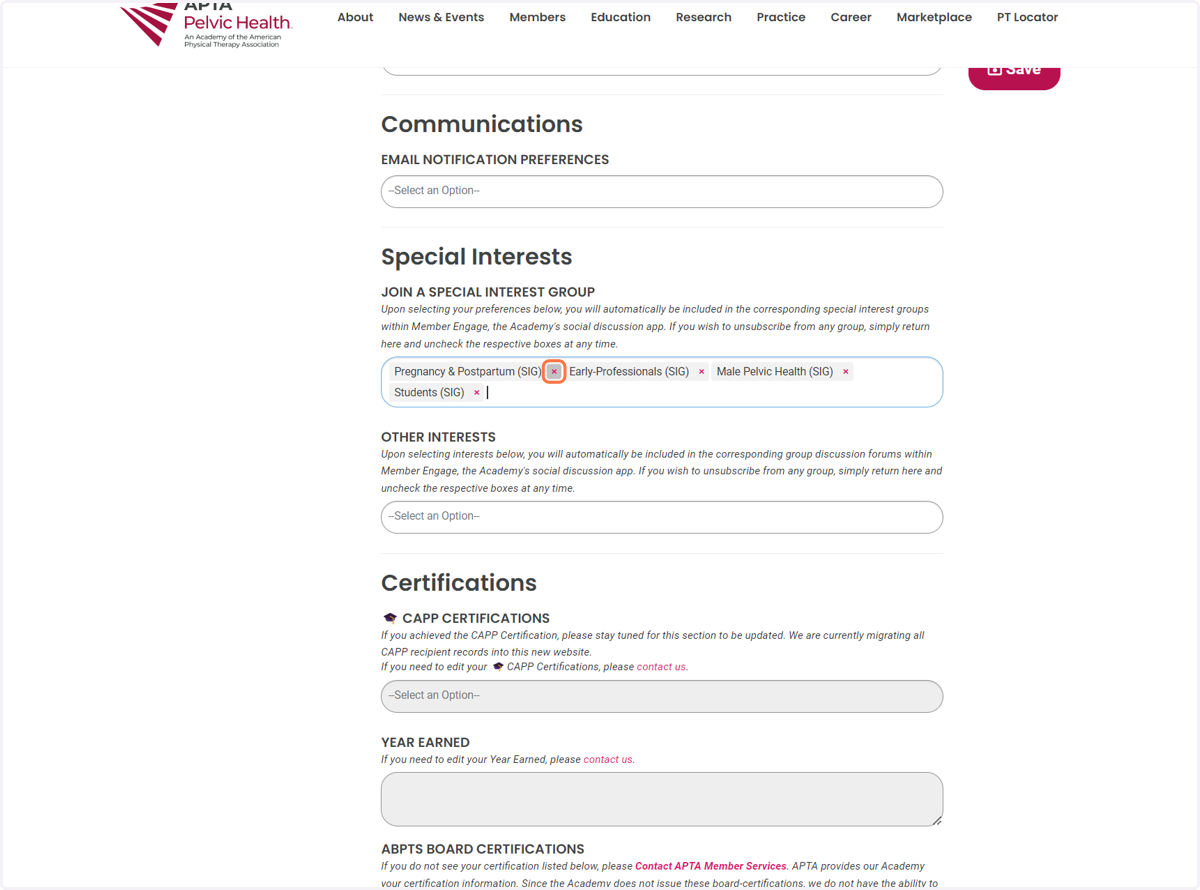
5. Scroll down till you see the "Special Interests" section
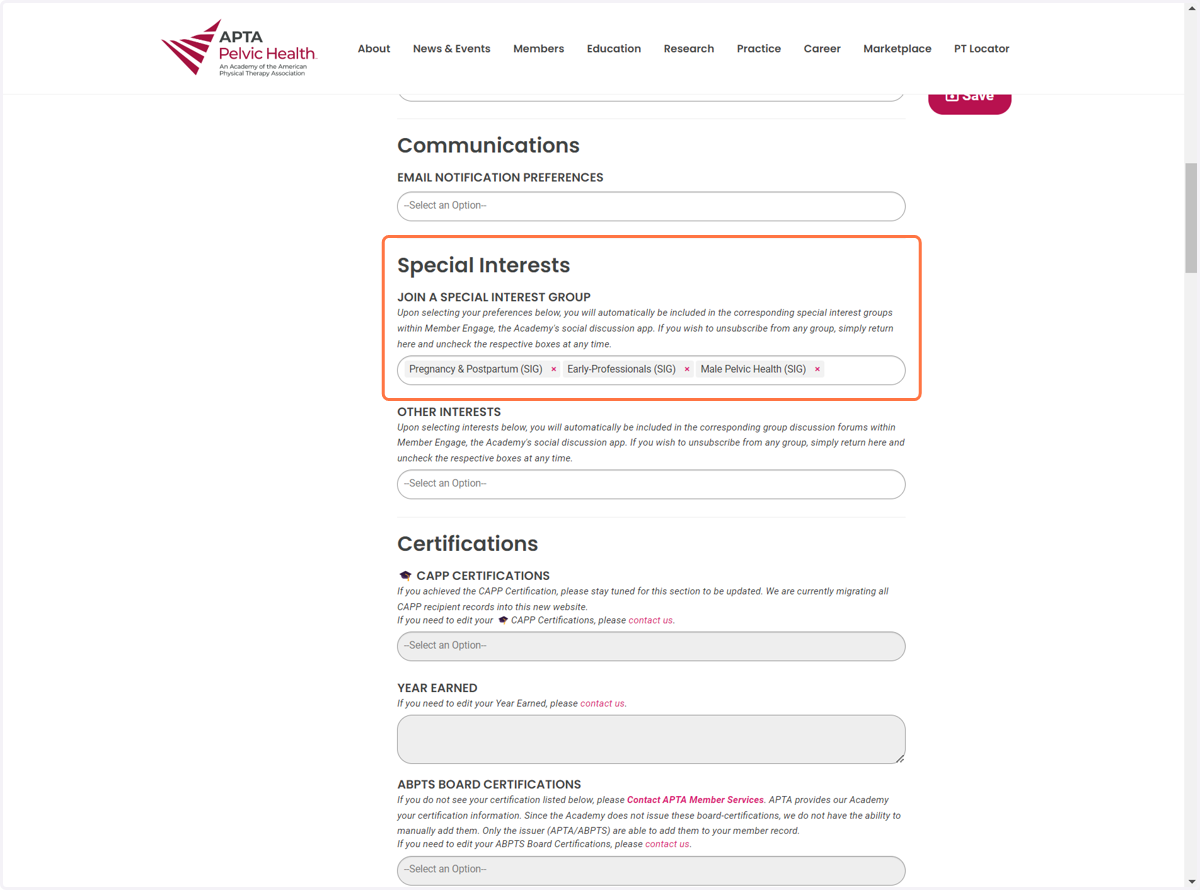
6. Add all the SIGs you wish to join
Please note that if you ever wish to leave a SIG, you just need to return to this page and remove these selections. Upon removal, you will then stop receiving messages from this SIG.
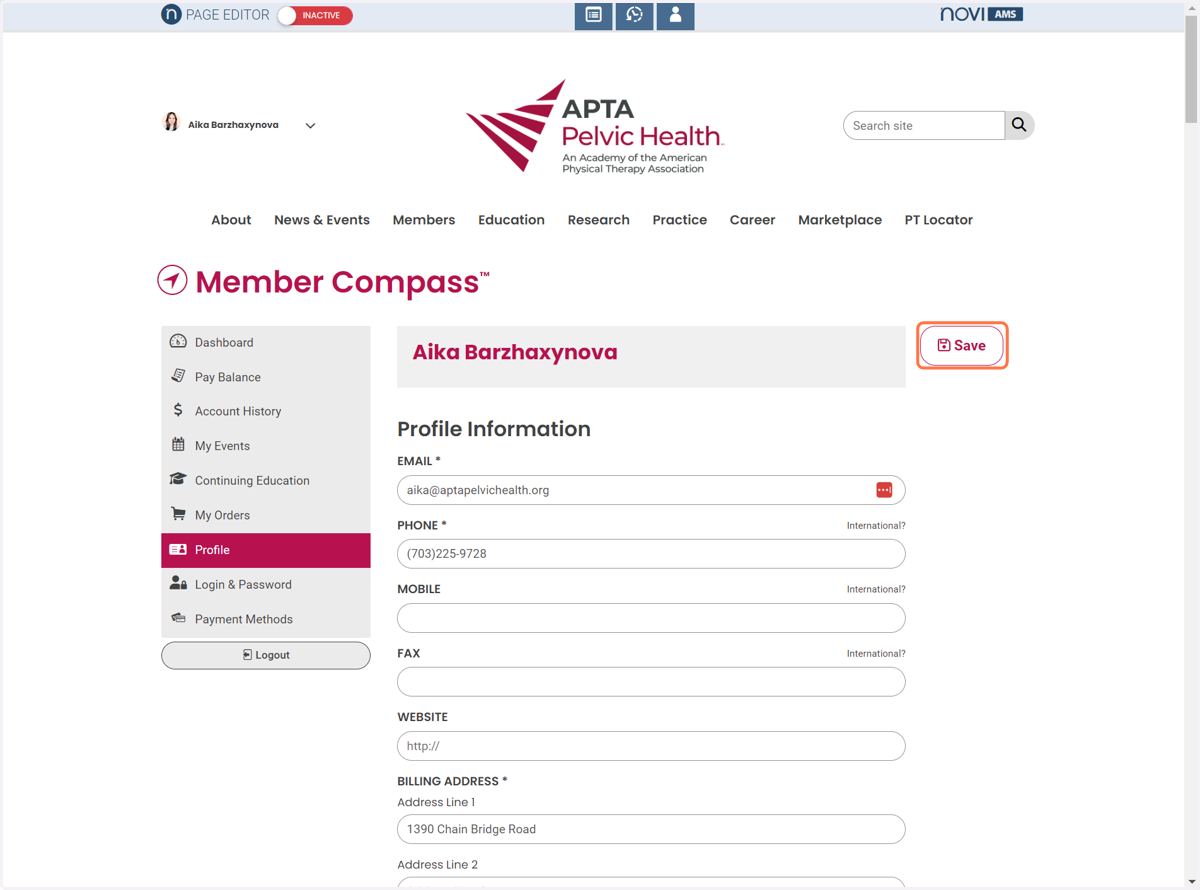
7. Scroll Up and Click on "Save" on the top right
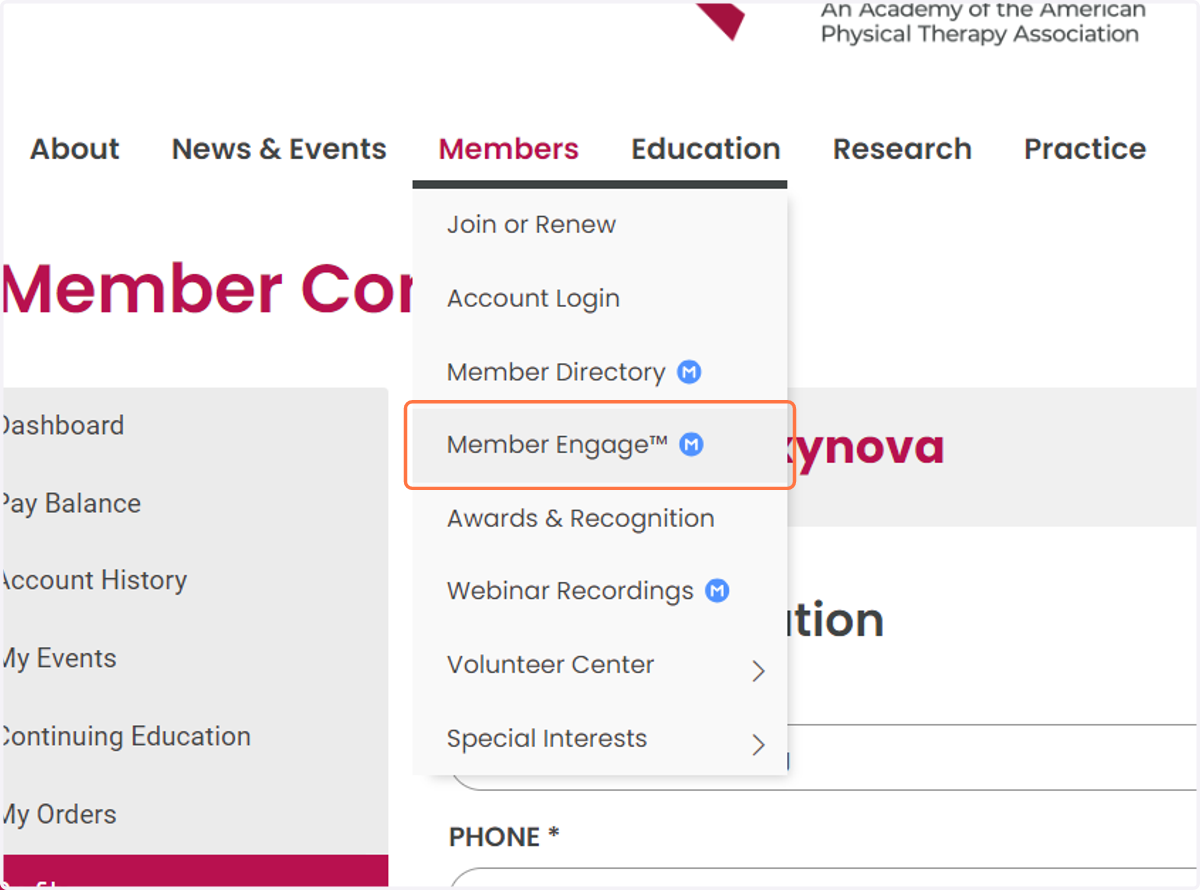
8. Head on over to Member Engage™ Ⓜ️ to access your SIG!
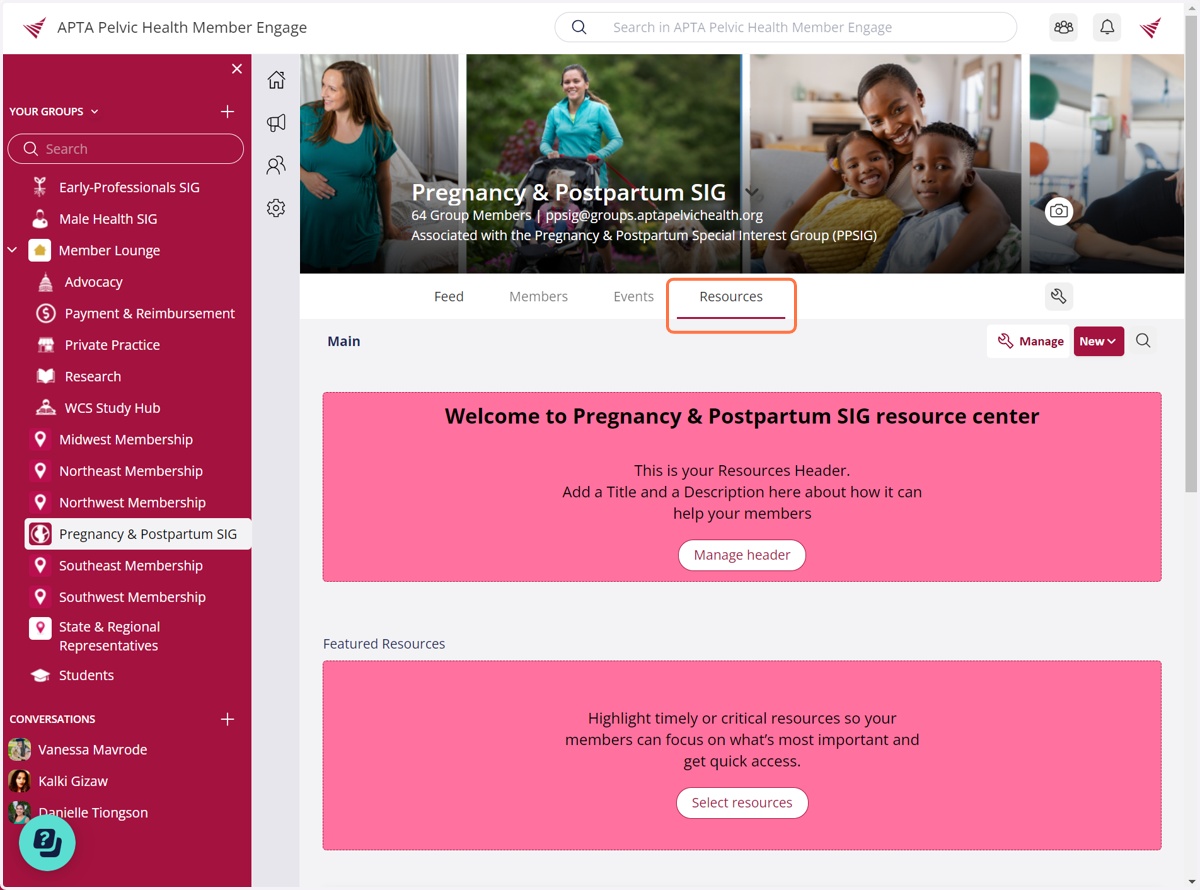
9. Once you are in Member Engage, you will see a list of your groups on the left-hand panel. YOu will notice that the SIG that you selected will automatically appear. Click on it to access the discussion forums, member list, events, resources, and more!
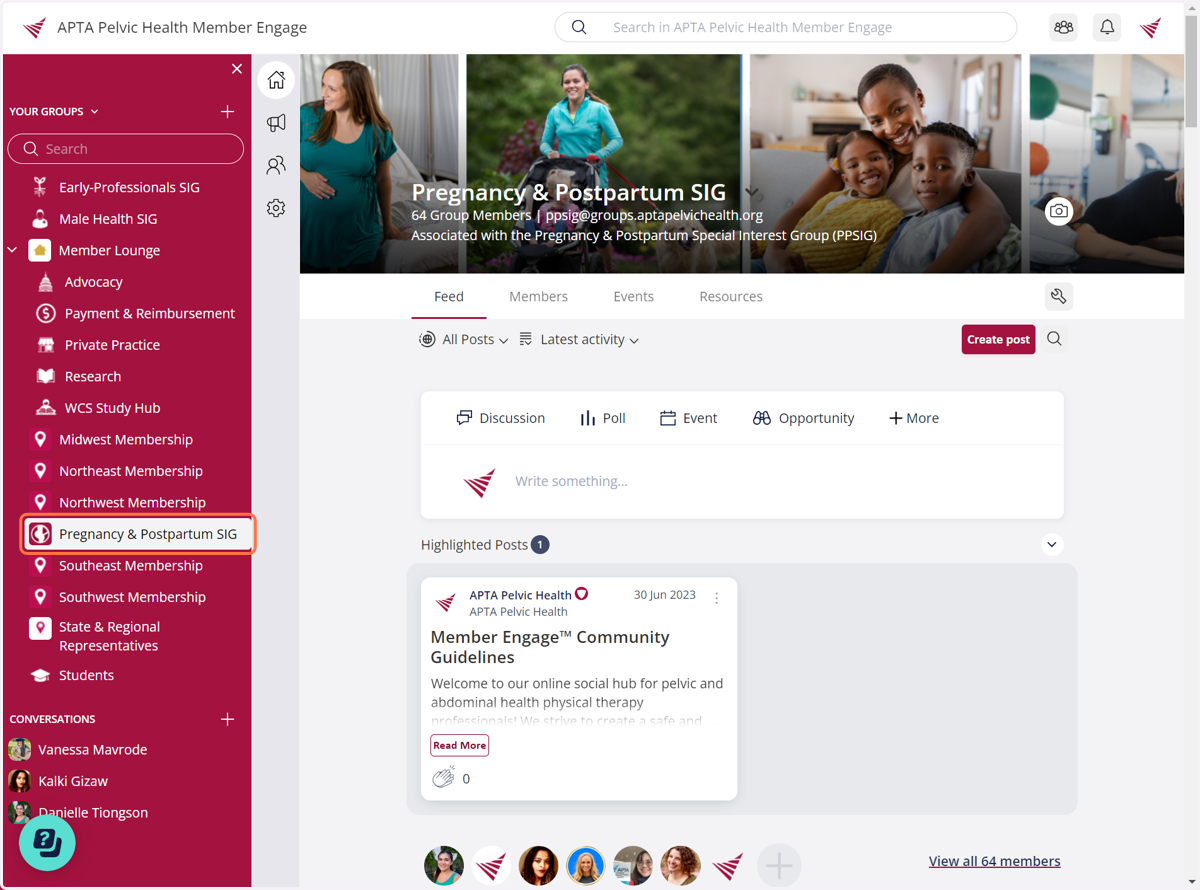
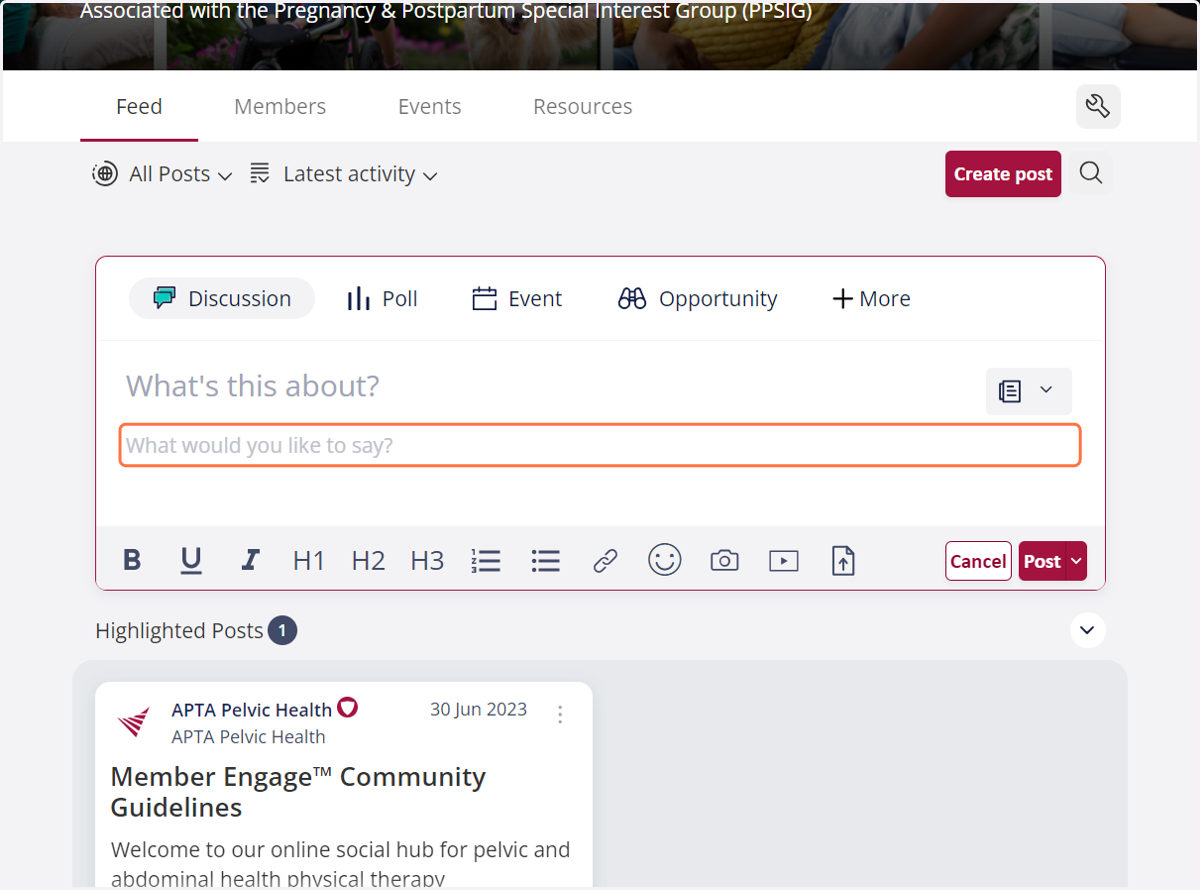
10. You can post in this group. Make sure to the review the Community Guidelines before posting.
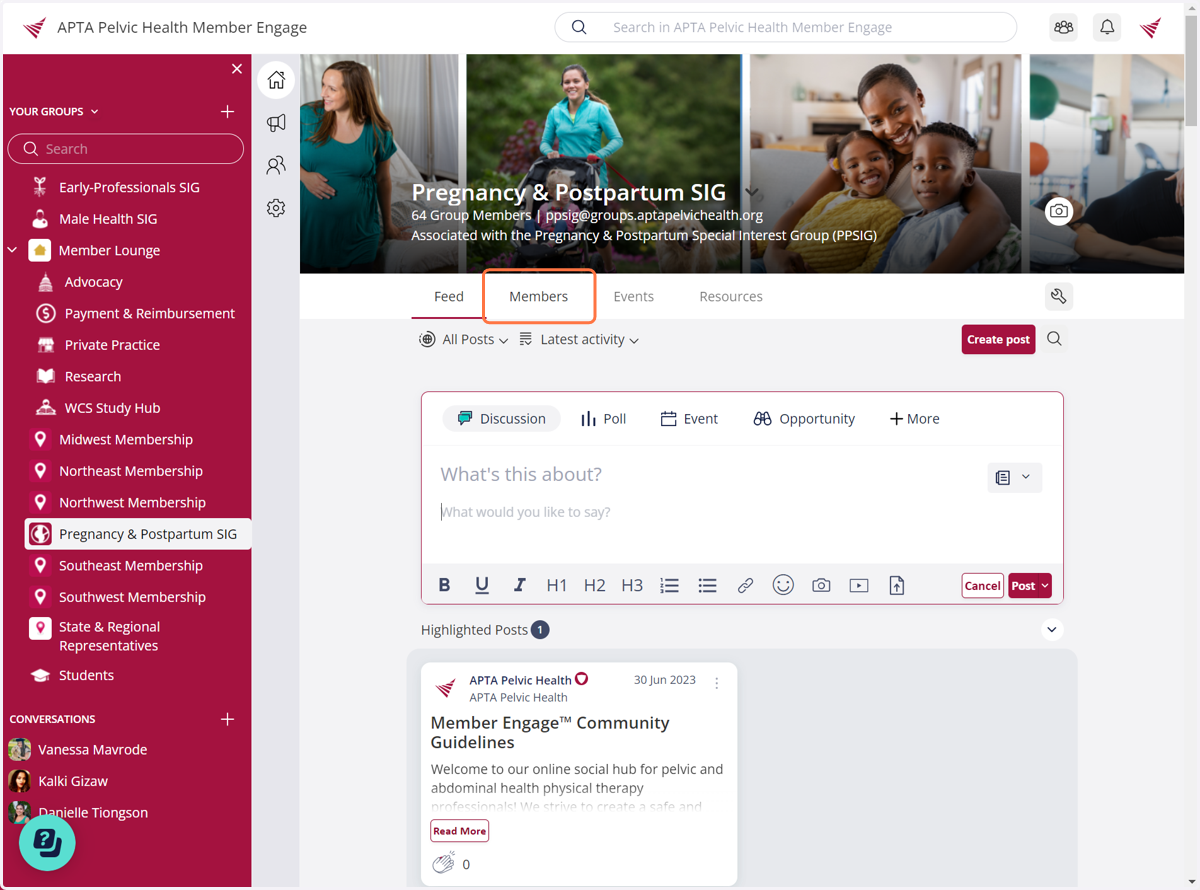
11. You can see who else is in the SIG group
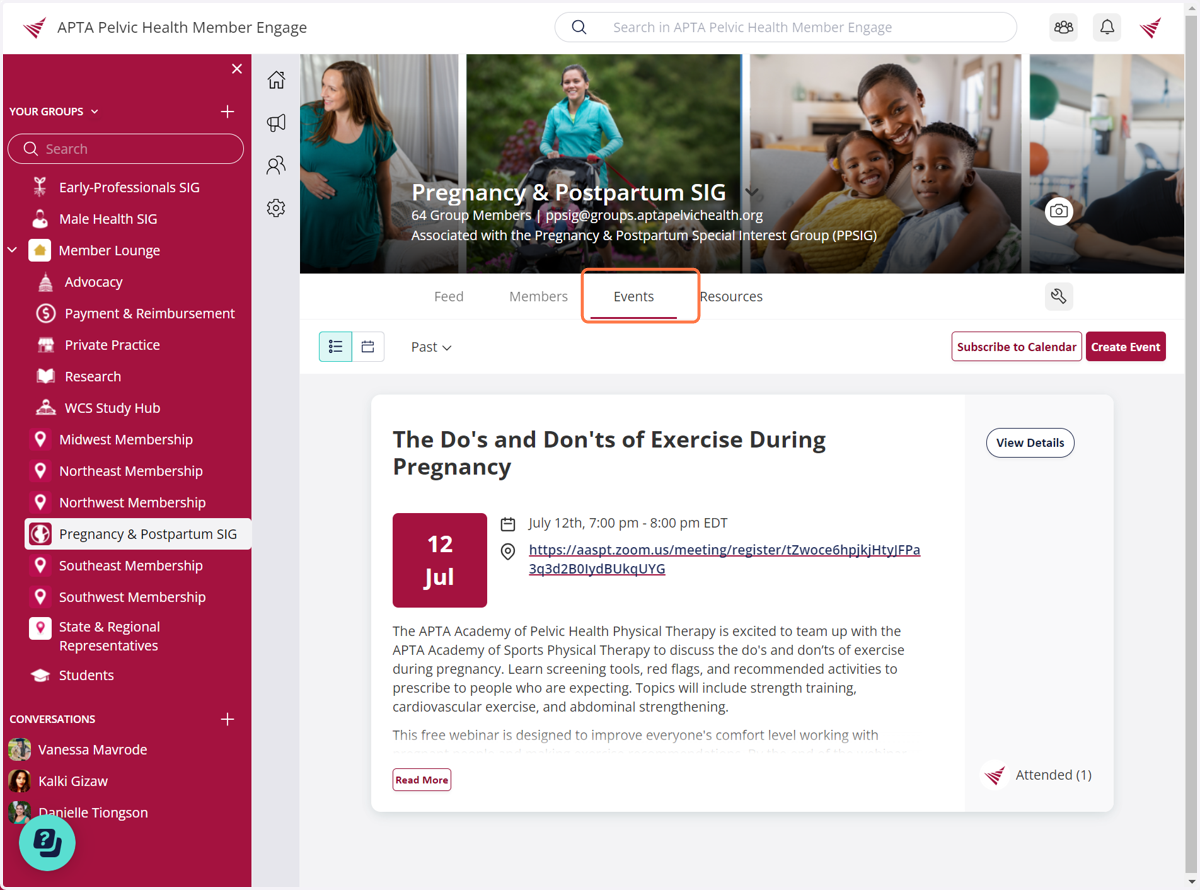
12. You can see upcoming and past SIG events
13. You can see featured SIG Resources here such as files, links, and folders.